
August Heat and Grid Stress: Is Your Battery Ready?
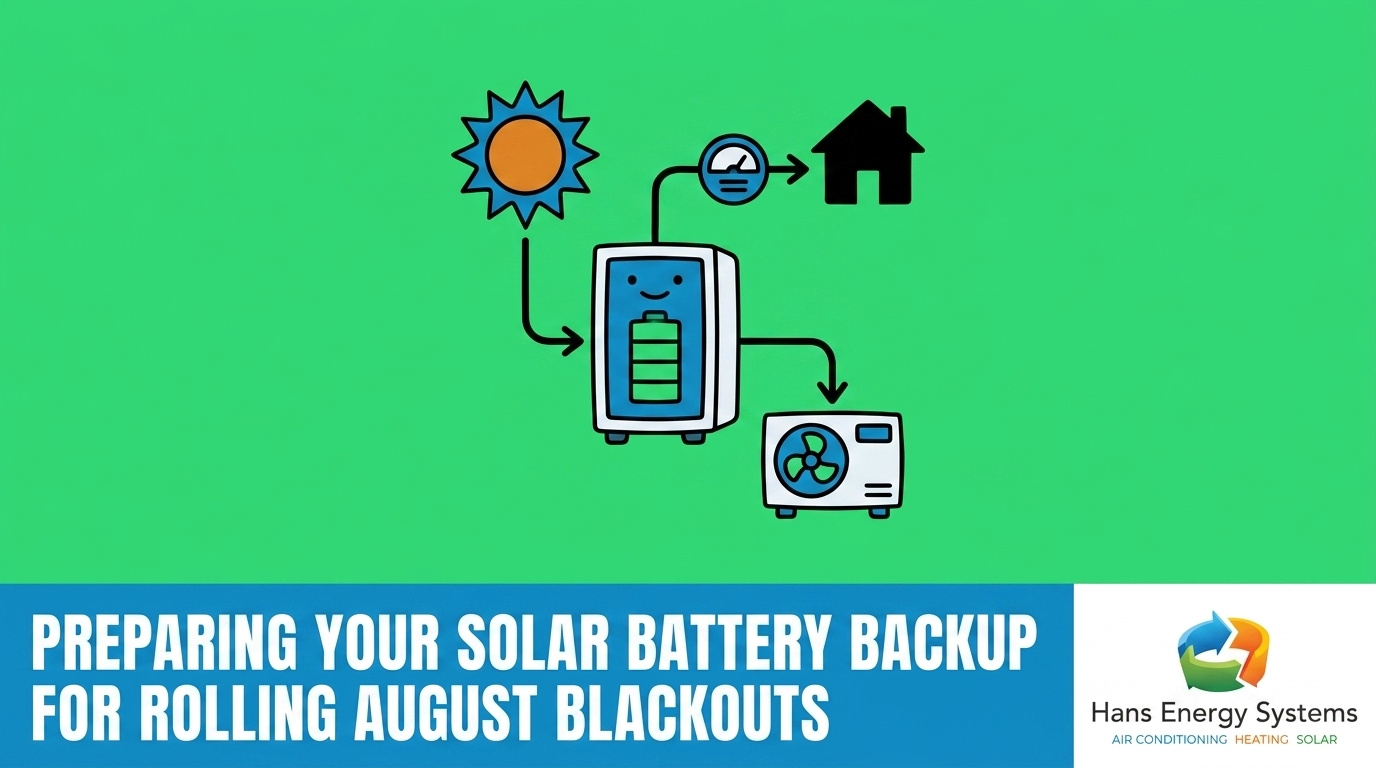
Late summer is officially here, and preparing your solar battery backup for rolling August blackouts is the most critical step you can take to protect your home’s power this month. With August late-summer heatwaves driving temperatures up, regional air conditioning usage skyrockets, creating immense strain on the local utility grid. You might assume that because you have a battery mounted on your garage wall, your home is automatically protected from these sudden shutoffs. However, the reality is much more complex.
If you rely on solar panel systems in Poway to power your home, the physical equipment is only half of the equation. The software managing that equipment dictates exactly where your stored energy goes. During a severe heatwave, your battery’s daily programming might actually work against your emergency preparedness, leaving you in the dark when the grid fails. By understanding how to manually adjust your system’s settings, you can ensure your home remains powered, cool, and safe during the most intense weeks of the year.
Understanding CAISO Flex Alerts and Rolling Blackouts
To effectively manage your backup power, you first need to understand why the grid fails during this specific time of year. The California Independent System Operator (CAISO) frequently issues Flex Alerts between 4 PM and 9 PM. This specific five-hour window represents the most vulnerable period for the state’s electrical grid, often referred to as the “duck curve.”
During the late afternoon, solar production rapidly wanes as the sun lowers in the sky. Simultaneously, families return home from work and school, turning on appliances and cranking up their air conditioners. In the Poway CA and greater San Diego area, inland temperatures often stay uncomfortably high well into the evening, meaning cooling demand peaks exactly when solar generation disappears. This is why optimizing your solar battery storage solutions is so vital.
It helps to understand the difference between the types of outages you might experience during these high-stress periods:
| Type of Outage | Warning Given | Typical Duration | Primary Cause |
|---|---|---|---|
| Flex Alert (Voluntary) | 24 Hours | None (Conservation Phase) | Anticipated evening grid strain. |
| Planned Rolling Blackout | 1–4 Hours | 1 to 2 Hours | Controlled shutoffs to prevent total grid collapse. |
| Unplanned Grid Failure | None | Hours to Days | Overloaded transformers or damaged infrastructure. |
When you know a Flex Alert has been issued, you have a brief window to change your system’s behavior before a planned rolling blackout hits your neighborhood.
Why Daily Savings Modes Can Leave You in the Dark
Most modern energy storage systems are installed and left in a default operating mode known as “Time-of-Use” (TOU) or “Self-Consumption.” In this mode, your system’s primary goal is financial savings. It charges up from your solar panels during the day, and then intentionally drains itself every evening to power your home when utility rates are at their highest.
While this is an excellent strategy for lowering your monthly utility bills, it creates a massive vulnerability during August heatwaves. If your system has been discharging power since 4 PM to save you money, and a rolling blackout hits at 7:30 PM, your battery might only have 10% or 15% of its capacity remaining. That is barely enough to keep the refrigerator running, let alone power your lights or fans.
The 7 PM Vulnerability Window
A frequent pattern we see when helping homeowners configure these systems is the need to thoroughly explain these operating options so that families feel completely confident in their decisions. High-quality results depend on knowing exactly how your equipment is programmed to behave. If you want to survive a late-summer grid emergency, you must temporarily shift your system’s priority away from daily financial savings and toward energy security.
Adjusting your battery storage app settings for rolling blackouts ensures that a reserve of power is physically locked away, completely untouchable by the daily TOU algorithms. This is one of the most crucial solar battery tips for Poway homeowners: you must tell the app to hold the power, or the app will spend it.
Step-by-Step: Adjusting Your Reserve Capacity in the App
Taking control of your energy storage requires a few simple adjustments on your smartphone. While different manufacturers use slightly different terminology, the core process remains identical across almost all major platforms. Understanding how home battery backup works during a power outage requires knowing how to manipulate your reserve sliders before the grid goes down.
Follow these steps to lock in your emergency power:
- Open your system monitoring app: Launch the application you normally use to view your daily solar production.
- Navigate to the settings menu: Look for a gear icon, a “Settings” tab, or a “Customize” option on the main dashboard.
- Locate the operating modes: Find the section labeled “Operational Mode,” “Battery Settings,” or “Energy Control.”
- Adjust the reserve slider: You will see a sliding bar that dictates the “Backup Reserve” or “Minimum State of Charge.” Slide this from its default (usually around 20%) up to 50%, 80%, or even 100% depending on the severity of the heatwave.
- Save and verify: Apply the changes and return to the home screen. Verify that the system states it is now charging from the grid or holding solar power to meet your new reserve target.
Finding the Right Reserve Percentage
Deciding exactly where to place that slider depends entirely on your household’s critical needs. Consider the following factors when choosing your target:
- Medical equipment: If you rely on CPAP machines, oxygen concentrators, or refrigerated medications, set your reserve to 100% during high-risk weeks.
- Food preservation: A standard refrigerator needs a moderate amount of power to cycle its compressor. A 40% to 50% reserve is usually sufficient for a brief 2-hour rolling blackout.
- Well pumps and water access: Homes outside the city limits that rely on electric well pumps should maintain at least a 60% reserve to ensure uninterrupted access to water.

Activating Storm Watch and Emergency Backup Features
Many modern platforms include automated features designed to take the guesswork out of grid emergencies. Modes commonly labeled “Storm Watch” or “Severe Weather Alert” are built to communicate directly with the National Weather Service. When a severe weather event is declared for your zip code, the app automatically overrides your daily savings settings, forces the battery to charge to 100% from the grid, and holds that power until the storm passes.
However, relying solely on these automated features during August late-summer heatwaves carries a hidden risk. The National Weather Service frequently issues heat advisories, but utility companies and algorithms do not always classify standard high-temperature days as “severe weather events” in the same way they classify a hurricane or a winter blizzard. As a result, CAISO might initiate a rolling blackout due to grid strain without your app ever triggering its automated defense mode.
Because of this disconnect, manual intervention is always the safest route. If you hear that a Flex Alert has been issued, do not wait for your app to figure it out. Go into the settings and manually toggle the system into “Backup Only” mode. This forces the equipment to stop discharging into the home and prioritize maximum readiness until you decide the threat has passed.
Balancing Heavy AC Loads with Limited Battery Reserves
The single biggest threat to your stored energy during a summer outage is your central air conditioning system. Air conditioners require a massive surge of electricity to start their compressors—a metric known as Locked Rotor Amps (LRA). This initial inrush of current is often so large that it can instantly overload a battery’s inverter, causing the entire backup system to trip and shut down the house, even if the battery is fully charged.
Balancing these massive electrical loads requires looking at the whole home rather than just the electrical panel. For example, during a recent summer project, a local homeowner needed to expand their capacity to charge electric vehicles while running the air conditioning. Because our team brings deep cross-trade expertise in both HVAC and solar systems, we correctly sized and installed a second set of panels that balanced the home’s cooling needs with the battery limits. The system works great, significantly reducing electric bills without overloading the backup reserves.
Managing Your Cooling Demand
If you want to keep your home cool without instantly draining your reserves in the Poway CA and greater San Diego area, you must manage how your AC interacts with your stored power:
- Install a soft start kit: This small device attaches to your outdoor AC unit and reduces the startup surge by up to 70%, allowing your battery to start the compressor without tripping the system.
- Isolate heavy loads: Use a smart electrical panel or manually flip the breakers for non-essential heavy appliances (electric ovens, pool pumps, electric dryers) the moment the power goes out.
- Stage your cooling: If you have multiple AC units, never let them start at the same time. Turn one on, wait for it to settle into its running cycle, and then start the second unit.
Pre-Cooling Strategies Before the Blackout Hits
The most effective way to manage your home’s temperature during a grid failure is to avoid running the air conditioner on battery power altogether. You can achieve this through a strategy called “pre-cooling.” Pre-cooling leverages the physical thermal mass of your home—your walls, floors, and furniture—to store cold air while the grid is still active and your solar panels are producing maximum energy.
Between 12 PM and 3 PM, your panels are generating peak power. During this window, drop your thermostat down to 68 or 70 degrees. Because the sun is powering the AC directly, you aren’t draining your battery or paying peak utility rates. Your home will become deeply chilled.
When the 4 PM Flex Alert window begins, raise your thermostat up to 78 degrees. Because your home is heavily insulated and full of cold air, the temperature will slowly drift upward over the next several hours. By the time a rolling blackout might occur at 7 PM, your house will still be perfectly comfortable, and your AC won’t need to cycle on, which is a highly effective strategy for extending your solar battery life during the evening.
Combining aggressive afternoon pre-cooling with a high manual reserve setting in your app creates the ultimate defense against August late-summer heatwaves. You stay cool, and your battery stays full.
Frequently Asked Questions About Solar Batteries and Grid Outages
How do I change my solar battery reserve for an outage?
You can change your reserve capacity by opening your system’s mobile app and navigating to the settings or operational mode menu. Locate the slider labeled “Backup Reserve” or “Minimum State of Charge” and drag it to a higher percentage. Be sure to save your changes so the system stops discharging power and begins holding it for emergencies.
What is the best battery mode during a heatwave?
The best mode during an active heatwave is “Backup-Only” or a Time-of-Use mode with the reserve slider set to at least 80%. This prevents the system from draining its stored energy to offset peak utility rates during the late afternoon. By locking the power in, you guarantee you have electricity if a rolling blackout occurs in the evening.
Will my solar panels work during a rolling blackout?
Yes, your solar panels will continue to work during a rolling blackout, but only if you have a compatible battery storage system installed. Standard grid-tied solar panels without a battery automatically shut down during an outage to prevent back-feeding electricity into the grid and injuring utility workers. The battery provides the necessary micro-grid environment to keep the panels producing.
Should I put my battery in backup-only mode?
Yes, you should temporarily place your system in backup-only mode whenever your local utility issues a Flex Alert or warns of extreme grid strain. While this means you will temporarily pay higher utility rates during the evening, the trade-off is guaranteed energy security. You can return the system to its daily savings mode once the heatwave passes.
How long will a solar battery last during an outage with the AC running?
The duration depends heavily on the size of your air conditioning unit and the capacity of your storage system, but running a central AC can drain a standard battery in just two to four hours. To extend this time, it is highly recommended to pre-cool your home before the outage and only run the AC intermittently if absolutely necessary.
Can CAISO remotely drain my solar battery during a Flex Alert?
No, CAISO cannot remotely drain your system unless you have explicitly opted into a Virtual Power Plant (VPP) or specific utility demand-response program. If you control your equipment through your proprietary app, you dictate exactly how much power is kept in reserve. Adjusting your battery storage app settings for rolling blackouts ensures your power stays in your home.
Secure Your Home’s Power Before the Next Heatwave
Taking a few minutes today to review your app configurations can be the difference between a comfortable evening and a stressful night in the dark. Preparing your solar battery backup for rolling August blackouts is all about shifting your strategy from daily savings to ultimate reliability when the grid is pushed to its breaking point.
If you are unsure whether your current electrical setup can handle your family’s cooling needs, or if you want to expand your storage capacity to better protect your home, do not wait until the lights go out. Reach out to local professionals who understand both the solar and HVAC demands of your property to ensure your system is perfectly optimized for the heat ahead.